


Most people’s first conversation with an AI assistant goes the same way. They type a short question, get a polished but generic answer, and quietly decide the whole thing is overrated.
The problem is rarely the tool. It is the first conversation.
This guide walks you through yours. In about 15 minutes, you will open Claude, ask it something genuinely useful, and practise the one habit that separates confident users from disappointed ones: questioning the answer.
You don’t need any technical knowledge. You don’t need to pay.
By the end, you will be able to
Open Claude and find your way around the main screen.
Write a first request that gets a useful result.
Ask Claude to reveal its assumptions, so you can correct them.
Know when to trust an answer and when to check it.
What Claude actually is
Claude is an AI assistant made by the company Anthropic. You write to it in ordinary language, the way you would message a knowledgeable friend, and it writes back.
It can explain things, draft and edit writing, help you plan, summarise long documents, brainstorm ideas and work through problems with you.
The most important thing to understand: Claude is not a search engine. A search engine gives you links. Claude gives you an answer it has written, and you can reply to that answer. The real value is in the back and forth.
Before you start
A web browser on a computer, or the Claude app on your phone.
An email address, a Google account or an Apple account.
About 15 minutes.
Claude has a free plan. Its usage limits reset every five hours and every week, and how quickly you reach them depends on how long and complex your conversations are. If you hit a limit, you simply wait for it to reset. For a first session like this one, the free plan is more than enough.
Step 1: Open Claude and sign in
Go to claude.ai. You can continue with Google, continue with Apple or enter your email address. There is also an option to download a desktop app, but your browser works perfectly well to start.
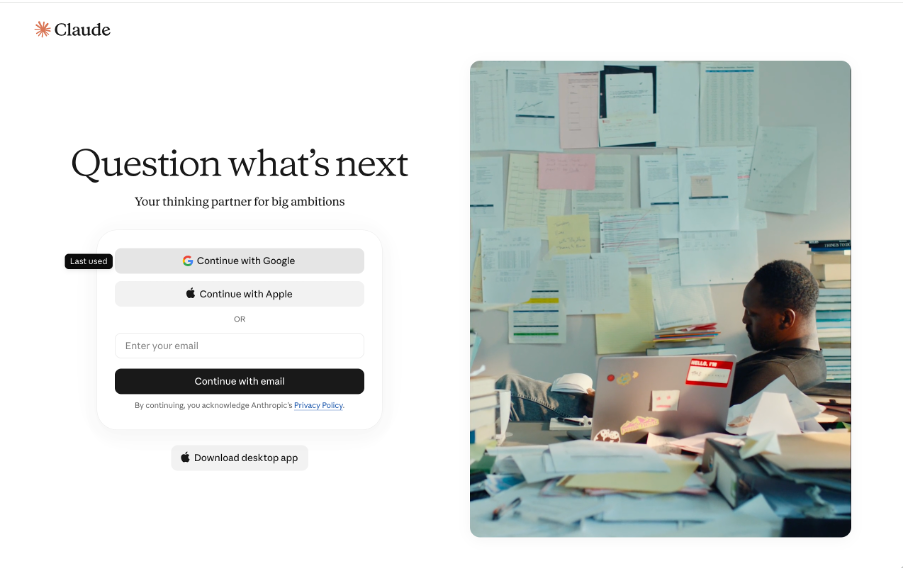
Sign in with Google, Apple or your email address.
Step 2: Get your bearings
After you sign in, you land on a mostly empty screen with one message box in the centre. That box is where everything happens.
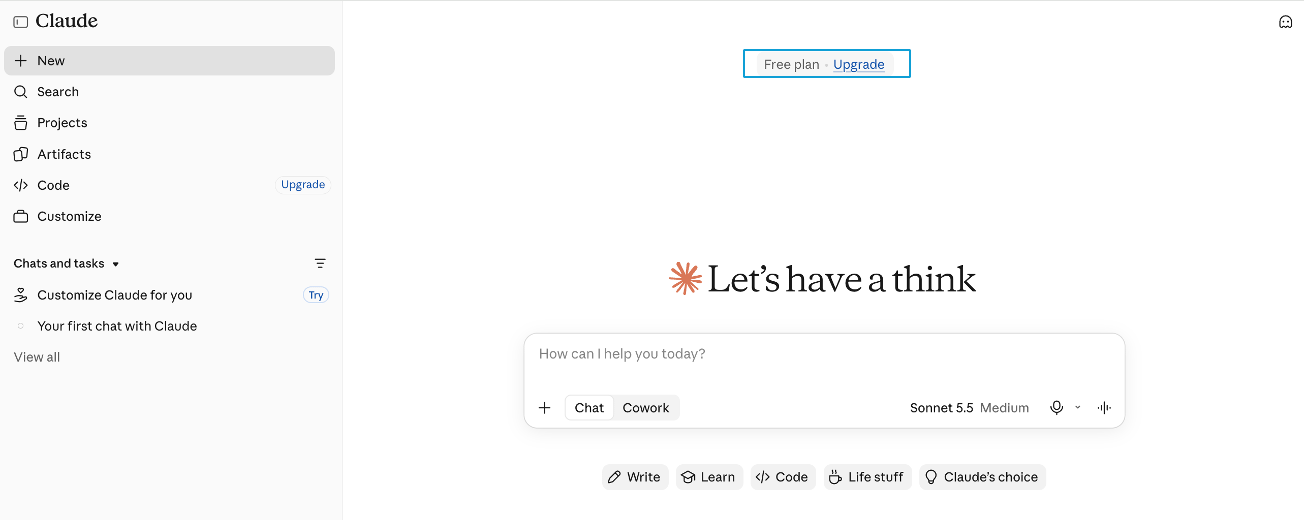
The message box in the centre is where everything happens. Your plan is shown at the top.
A few things worth noticing:
At the top, a small label shows your plan. On the free plan, it reads “Free plan” with an option to upgrade. You don’t need to.
On the left, a sidebar keeps your past conversations so you can return to them. “New” starts a fresh one.
Under the message box, shortcut buttons such as Write and Learn suggest starting points if you are stuck for ideas.
Next to the message box, you will see the name of the model Claude is using. Leave it as it is.
Ignore the other options for now. Everything in this guide happens in a normal chat.
Step 3: Ask Claude what it is good at
Your first message is about Claude itself. Copy this into the message box and press Enter:
I’ve never used an AI assistant before. In plain English, explain what you can help me with and what you can’t do well. Keep it under 150 words.Why start here? You get a short, plain description of what Claude is useful for and, more importantly, what not to rely on it for. In our test, the answer included a clear reminder that it can make mistakes and that important facts should be double checked.
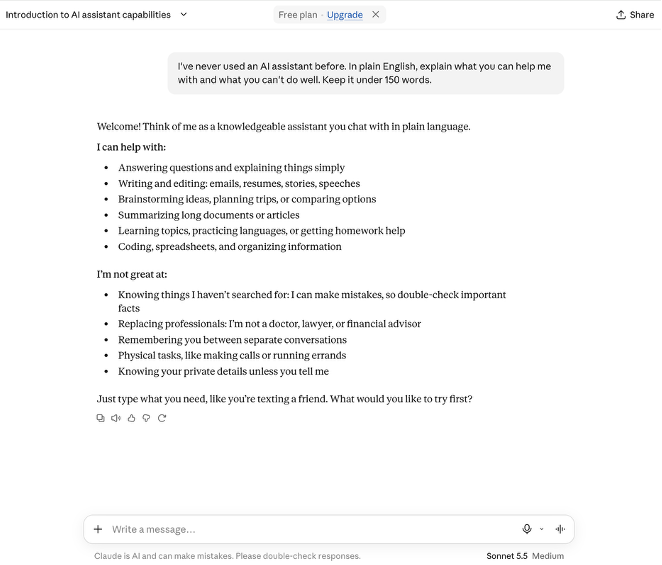
Notice the second list: what Claude says it is not great at.
Now look closely at that second list, because one item is out of date. Claude said it is not great at remembering you between separate conversations. Anthropic’s own pricing page lists memory across conversations as a feature of the free plan.
So in its very first answer, Claude got something wrong about itself, and said it with complete confidence. That is not a reason to distrust everything it says. It is a reason to check anything that matters.
Hold on to that. It comes back in Step 5.
Step 4: Give it a real task
Now ask for something you would actually use. Copy this, or change the details to match your own week:
I want to plan next week. I’d like to cook at home three evenings, exercise twice and call a family member. Make me a simple weekly plan in a table. Before you start, ask me up to three questions if anything important is missing.Look at the last sentence. It invites Claude to ask you questions before it starts, and that one line changes the result.
Without it, Claude has to guess what your week looks like. With it, Claude can find out first. In our test, it came back with three quick multiple choice questions: which evenings were usually free, when we preferred to exercise and when was best to call family. Each one also allowed a typed answer or a skip.
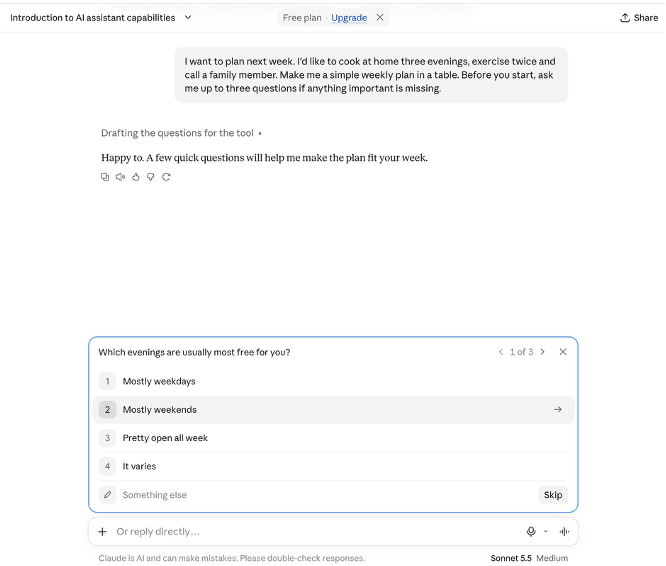
Claude asks before it plans. You can pick an option, type your own answer or skip.
After we answered, it produced a day by day table for the week, with a short explanation of why it placed each activity where it did.
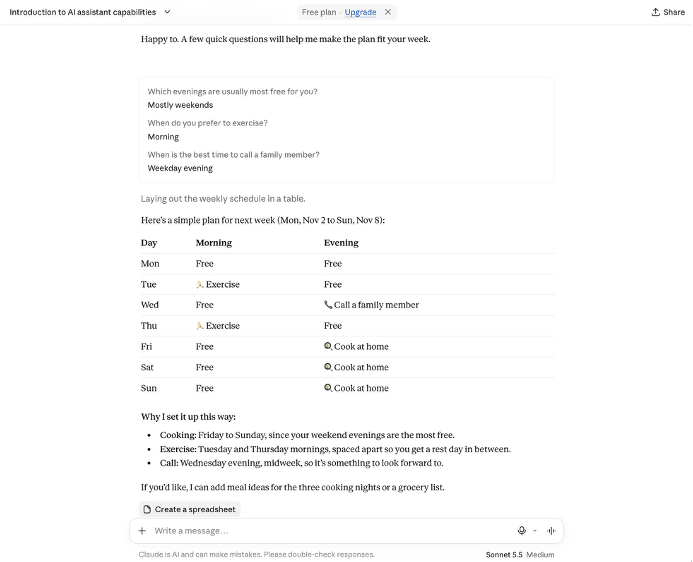
The finished plan, with Claude’s reasoning underneath.
This is the first real lesson. An AI assistant can only work with the information it has. When something important is missing, ask it to ask you.
Step 5: Question the answer
Here is the habit most beginners never build. Instead of accepting the plan, send this:
Which parts of this plan are assumptions you made about me? List them so I can correct them.Claude will list the guesses hidden inside its answer. In our test, it listed nine.
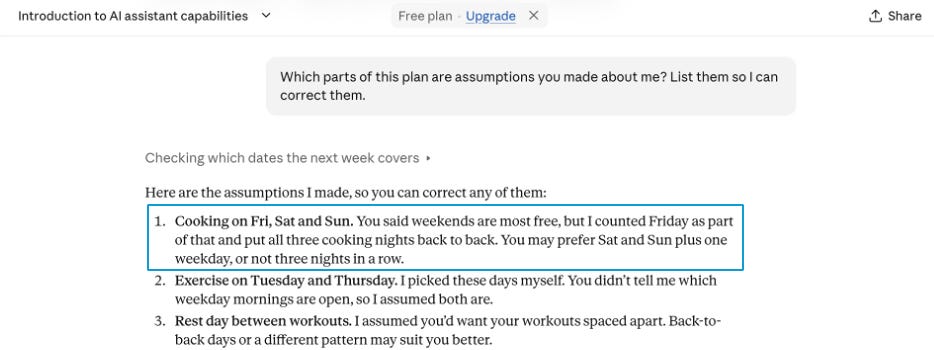
Look at the first assumption: Claude counted Friday as part of the weekend.
Some were obvious, like assuming a cooking night means dinner. Others were easy to miss. We had said our weekend evenings were the freest, and Claude had counted Friday as part of the weekend, then placed all three cooking nights back to back. It had also assumed that every slot it labelled “Free” really was free, without knowing about work, appointments or plans.
None of these were mistakes exactly. They were reasonable guesses. But the plan looked equally confident either way.
That is the point. A polished answer is not the same as a correct one. Asking for assumptions takes ten seconds and turns a generic answer into one you can fix.
Then reply with your corrections, for example: “Move one cooking night to Wednesday and keep Friday free.” You don’t need to start again. Claude can see everything earlier in the same conversation.
Step 6: Check where information comes from
Claude can search the web for current information. To see it in action, send this:
What is one AI news story from this week? Tell me where you found it.In our test, Claude showed that it had searched the web, summarised a story and named its source. It was also candid about a limitation: the source was a newsletter reporting on another outlet’s article, and Claude said it had not read the original report, so the details were secondhand.
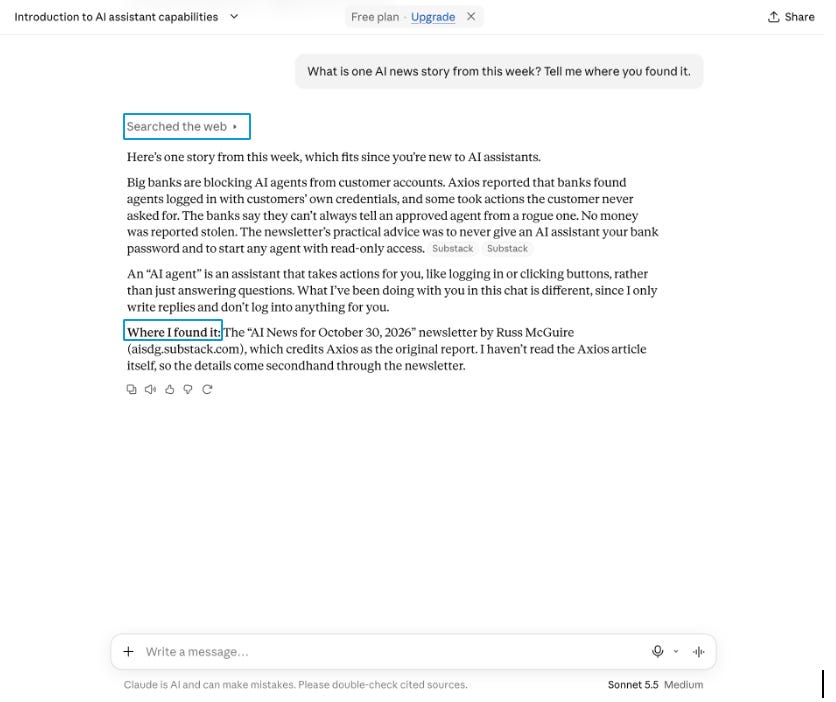
Look for the source, and notice that Claude says its information is secondhand.
That honesty is useful. It is also a reminder to click through. When an answer depends on facts, news, numbers or anything you plan to repeat to someone else, open the source and check it. Ideally, check the original.
Three beginner mistakes to avoid
Treating it like a search box. Short keyword questions get generic answers. Write in full sentences and explain what you actually need.
Accepting the first answer. The first reply is a draft. Ask for assumptions, request changes and push back when something looks wrong.
Sharing what you would not email to a stranger. Avoid pasting passwords, bank details, medical records or confidential work documents, and review your privacy settings before using Claude for anything sensitive.
What to remember
Claude is a conversation, not a vending machine. Give it context, let it ask questions, ask what it assumed and check anything that matters.
Under every conversation, Claude itself reminds you that it is AI and can make mistakes. Take that seriously, and you are already ahead of most first time users.
Your next step
Try the same pattern on something from your own life this week: a trip, a difficult email, a topic you want to understand. Ask. Let it ask back. Question the assumptions. Refine.
Then read How to Prompt AI: A Beginner’s Guide to Better Answers, where you will learn why some requests get far better results than others.
If this guide helped, share it with someone who keeps saying they should “get into AI” but hasn’t started yet. And if you got stuck anywhere, reply and tell us where. Your questions shape our next guides.
Last checked: 1 November 2026, using the Claude free plan on the web.